Should I Upgrade My CPU or GPU First? A Data Driven Answer
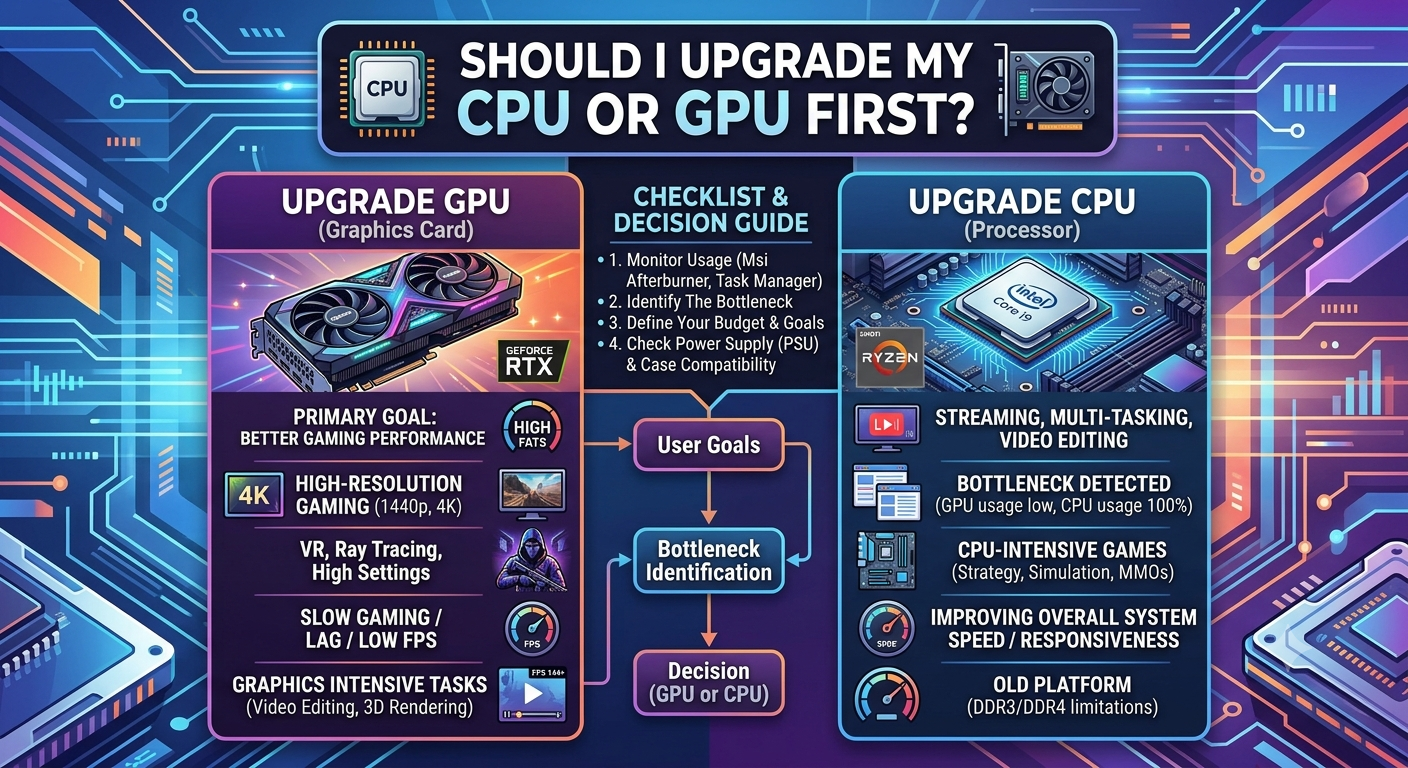
Upgrade whichever component is actually limiting your system not whichever one feels older or less impressive. The fastest way to know which that is: enter your current CPU and GPU into a bottleneck calculator. If it identifies a CPU bottleneck, upgrade the CPU first; if it identifies a GPU bottleneck and your frame rate is below your target, upgrade the GPU first.
Why Which Is Older Is the Wrong Question
A common instinct is to upgrade whichever part has been in your PC longest. But age alone doesn't tell you which component is actually holding back your performance. A five-year-old CPU paired with a mid-range GPU might still be perfectly balanced, while a two-year-old GPU paired with a budget CPU could already be significantly bottlenecked. The right question isn't "what's oldest" it's "what's limiting me right now."
The Quick Decision Framework
1. Check your current bottleneck using your exact CPU and GPU models in a bottleneck calculator.
2. Identify the limiting component the tool reports.
3. Confirm it matches your real-world experience does your GPU usage stay low while CPU usage is near 100% (CPU-limited), or is your GPU near 100% with the CPU having room to spare (GPU-limited)?
4. Upgrade the limiting component first. Upgrading the other one will deliver little to no real-world improvement until the limiting part is addressed.
When to Upgrade Your CPU First
· Your bottleneck calculator result clearly shows a CPU bottleneck, especially above 20%
· You play CPU-heavy genres: open-world games, strategy games, simulations with large unit counts
· You primarily game at 1080p, where CPU limitations are more pronounced
· You've upgraded your GPU recently and saw little to no FPS improvement
· Your CPU is several generations old relative to your GPU's release window
When to Upgrade Your GPU First
· Your bottleneck calculator result shows a GPU bottleneck, and your frame rate is below your target
· You primarily game at 1440p or 4K, where the GPU carries most of the workload
· You play visually demanding, GPU-bound titles (open-world graphics showcases, ray-traced games)
· Your CPU has clear headroom (usage well below 100% during gameplay)
· You want to enable higher settings, ray tracing, or a higher refresh rate that your current GPU can't sustain
How Resolution Changes the Answer
Resolution shifts the entire equation, as covered in our resolution and bottleneck guide:
|
Resolution |
More Likely Limiting Component |
Upgrade Priority |
|
1080p |
CPU |
CPU first, especially for competitive/high-refresh gaming |
|
1440p |
Balanced |
Whichever the calculator identifies as limiting |
|
4K |
GPU |
GPU first, since it carries most of the rendering workload |
If you're not sure what resolution you'll be gaming at long-term, run the check at the resolution you use most often — the answer can genuinely flip between CPU-first and GPU-first depending on this single setting.
Budget and Value Considerations
Beyond pure performance, cost-effectiveness matters:
· CPU upgrades within the same platform (socket) are often cheaper, since you can usually reuse your motherboard and RAM.
· GPU upgrades tend to have a more direct, easily noticeable impact on visual quality and frame rate at higher resolutions.
· Platform changes (new CPU requiring a new motherboard and RAM) cost significantly more factor this into your decision if your current CPU bottleneck would require switching platforms entirely.
Before committing to either purchase, use the Compare Systems tool to test your current setup against your planned upgrade. This shows you the actual projected improvement, not just an assumption based on which part is "due" for a refresh.
A Simple Example
Imagine a mid-range CPU paired with a high-end GPU, used mainly for 1080p competitive gaming. A bottleneck calculator is likely to show a meaningful CPU bottleneck in this scenario, since the GPU can render frames faster than the CPU can supply instructions at that resolution. Here, upgrading the GPU further would do almost nothing the CPU is the correct upgrade priority.
Now imagine the same CPU paired with an older, weaker GPU, used for 4K gaming. The GPU is far more likely to be the limiting factor here, with the CPU having plenty of spare headroom making the GPU the correct upgrade priority instead.
Key Takeaways
· Upgrade whichever component is actually limiting your system, not whichever feels older.
· A bottleneck calculator tells you exactly which component to prioritize based on your real hardware.
· Resolution flips the answer: CPU-first is more common at 1080p, GPU-first at 4K.
· Budget and platform cost matter CPU upgrades within the same socket are often cheaper than GPU upgrades or full platform changes.
· Always verify a planned upgrade in the Compare Systems tool before buying.


