How to Estimate FPS for Valorant, Fortnite, and CS2 (2026)
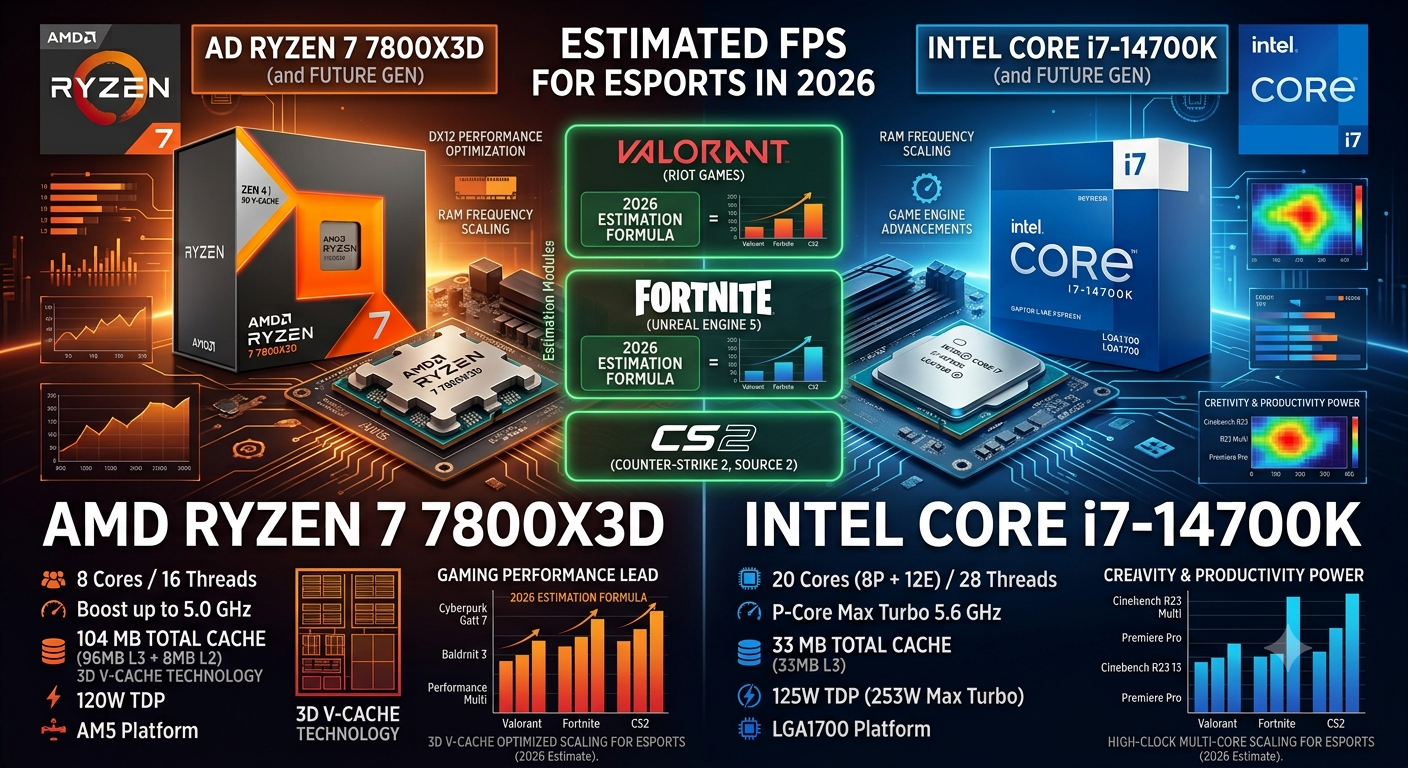
Valorant, Fortnite, and CS2 each have distinct FPS profiles because they run on different game engines with different CPU and GPU load distributions. CS2 on Source 2 is the most CPU-sensitive of the three; Valorant on Unreal Engine 4 is GPU-efficient and reaches very high FPS even on mid-range hardware; Fortnite on Unreal Engine 5 is the most GPU-demanding. Estimating your FPS in each requires knowing your CPU tier, GPU tier, and which game's engine characteristics apply.
Use the FPS calculator with your exact CPU and GPU for a personalized estimate at your resolution.
Why These Three Games Have Very Different FPS Profiles
CS2 (Counter-Strike 2)
Engine: Source 2 (Valve) CPU Sensitivity: Very High GPU Sensitivity: Moderate VRAM Requirement: Low (2–4GB typical at 1080p)
CS2 pushes extremely high frame rates in lower graphics quality, but those high frame rates place enormous pressure on the CPU. Source 2's game logic, network processing, and physics calculations are primarily CPU-bound. At identical hardware, CS2 produces some of the widest CPU-specific FPS differences of any popular game — a Ryzen 7 7800X3D can deliver 20–30% more FPS than an i5-13600K in CS2 at the same GPU and resolution. CPU choice matters more for CS2 FPS than for almost any other game.
Valorant
Engine: Unreal Engine 4 (Riot Games) CPU Sensitivity: Moderate GPU Sensitivity: Low-Moderate (optimised for high FPS at low GPU load) VRAM Requirement: Very Low (1–2GB typical)
Valorant is deliberately engineered to run at very high frame rates on modest hardware Riot prioritises accessibility and competitive reach over visual fidelity. The game's minimal visual complexity means even budget GPUs achieve 200–400 FPS in Valorant. The FPS ceiling in Valorant is more commonly hit by the game's internal engine cap or frame rate limiter than by hardware limits. CPU and RAM speed are the primary differentiators between high-end hardware configurations.
Fortnite (UE5 Mode)
Engine: Unreal Engine 5 (Epic Games) CPU Sensitivity: Moderate-High GPU Sensitivity: High (especially with Nanite/Lumen enabled) VRAM Requirement: Moderate-High (6–8GB+ at 1080p with Epic quality)
Fortnite with Nanite geometry and Lumen global illumination enabled is one of the most GPU-demanding games available — a significant shift from its UE4 roots. Mid-range GPUs that handle CS2 and Valorant at 200+ FPS may struggle to maintain 144 FPS in Fortnite Epic at 1440p with UE5 features enabled.
FPS Estimates by Hardware Tier
Note: These are representative estimates based on high quality settings. Use the FPS calculator with your exact CPU and GPU for precise estimates.
Budget Hardware (RTX 4060 + Ryzen 5 7600X)
| Game | 1080p Low/Med | 1080p High | 1440p High |
|---|---|---|---|
| CS2 | 300–450+ FPS | 200–300 FPS | 150–220 FPS |
| Valorant | 400–600+ FPS | 300–450 FPS | 200–350 FPS |
| Fortnite (UE5) | 180–240 FPS | 100–150 FPS | 70–110 FPS |
Mid-Range Hardware (RTX 4070 + Core i5-13600K)
| Game | 1080p High | 1440p High | 1440p Ultra |
|---|---|---|---|
| CS2 | 300–500 FPS | 220–320 FPS | 170–250 FPS |
| Valorant | 500–800+ FPS | 400–600 FPS | 300–500 FPS |
| Fortnite (UE5) | 140–180 FPS | 100–130 FPS | 80–110 FPS |
High-End Hardware (RTX 4080 + Ryzen 7 7800X3D)
| Game | 1080p High | 1440p Ultra | 4K High |
|---|---|---|---|
| CS2 | 500–700+ FPS | 300–450 FPS | 200–280 FPS |
| Valorant | 600–900+ FPS | 500–700 FPS | 350–500 FPS |
| Fortnite (UE5) | 200–250 FPS | 130–170 FPS | 80–110 FPS |
The CPU Bottleneck Factor for Each Game
CS2 — Most Sensitive to CPU Bottleneck
CS2's CPU sensitivity means a CPU bottleneck here has a larger FPS impact than in virtually any other popular game. Even a 15% CPU bottleneck in CS2 can reduce minimum FPS by 25–35% due to the game's CPU-heavy physics and game logic spikes.
- Why These Three Games Have Very Different FPS Profiles
- CS2 (Counter-Strike 2)
- Valorant
- Fortnite (UE5 Mode)
- FPS Estimates by Hardware Tier
- Budget Hardware (RTX 4060 + Ryzen 5 7600X)
- Mid-Range Hardware (RTX 4070 + Core i5-13600K)
- High-End Hardware (RTX 4080 + Ryzen 7 7800X3D)
- The CPU Bottleneck Factor for Each Game
- CS2 — Most Sensitive to CPU Bottleneck
- Valorant — Least Sensitive to CPU Bottleneck
- Fortnite — Most Sensitive to GPU Bottleneck
- Game-Specific Settings to Maximise FPS
- CS2 Settings for Maximum FPS
- Valorant Settings for Maximum FPS
- Fortnite Settings for 144 FPS Target
- Key Takeaways
Recommended check: Enter your CPU + GPU into both the FPS calculator and the bottleneck calculator before buying hardware specifically for CS2 performance. The CPU tier matters more in CS2 than the GPU tier for players targeting 240Hz+.
Valorant — Least Sensitive to CPU Bottleneck
Valorant's minimal visual complexity means even budget CPUs rarely create severe bottlenecks in Valorant specifically. The game is so light on GPU that most of the FPS variation comes from CPU speed rather than GPU tier. An RTX 4090 and an RTX 4060 Ti deliver far closer FPS numbers in Valorant than in any other popular game.
Key note: Valorant also has a built-in frame rate limiter. Check your in-game settings the game defaults to a cap that may be below your monitor's refresh rate.
Fortnite — Most Sensitive to GPU Bottleneck
Fortnite UE5 with Nanite and Lumen is overwhelmingly GPU-bound. A GPU bottleneck in Fortnite directly translates to lower FPS; upgrading the CPU rarely makes a noticeable difference in Fortnite. Check the bottleneck calculator if the GPU is identified as the limiting component, that's the correct upgrade for Fortnite FPS improvement.
Game-Specific Settings to Maximise FPS
CS2 Settings for Maximum FPS
- Shader Detail: Low
- Effect Detail: Low
- Shadow Quality: Medium (Low causes visible competitive disadvantages)
- MSAA: Off (use FXAA or no AA instead)
- Multicore Rendering: Always On — CS2 benefits significantly from multi-core CPU usage with this enabled
- Boost Player Contrast: On (competitive visibility benefit)
- Check for frame rate cap in video settings — default may be limited to 300 FPS; remove for competitive play
Valorant Settings for Maximum FPS
- Multithreaded Rendering: Always On
- Material Quality: Low or Medium
- Texture Quality: High (minimal FPS impact)
- Anti-Aliasing: MSAA x2 or None
- Shadows: Off (significant FPS gain, minimal competitive disadvantage)
- Remove frame rate limiter or set to monitor refresh rate + buffer
- Check Nvidia Reflex or AMD Anti-Lag reduces input latency without significant FPS cost
Fortnite Settings for 144 FPS Target
- Rendering Mode: DirectX 12 Performance Mode (highest FPS, reduced visual quality ideal for competitive focus)
- 3D Resolution: 100% (do not lower; use Performance Mode instead)
- Shadows: Off or Low
- Anti-Aliasing: TAA Medium
- Nanite Foliage: Off (significant FPS recovery)
- DLSS: Quality if available on NVIDIA; FSR if on AMD
- Lumen: Off in Performance Mode; great visual quality in Creative or casual play
Key Takeaways
- CS2 is the most CPU-sensitive of the three games a CPU bottleneck hurts CS2 FPS more than any other popular competitive title.
- Valorant is the least GPU-dependent even budget GPUs reach very high FPS, and CPU/RAM speed are the primary differentiators at high-end hardware tiers.
- Fortnite UE5 with Nanite and Lumen is the most GPU-demanding it's GPU-bottlenecked on most systems, making the GPU upgrade the correct priority for Fortnite FPS improvement.
- Game-specific settings adjustments can deliver 30–60% FPS gains in all three titles particularly disabling shadows in Valorant, enabling Performance Mode in Fortnite, and enabling Multicore Rendering in CS2.
- Use the FPS calculator for personalised estimates and the bottleneck calculator to identify whether your CPU or GPU is the limiting factor in each game.