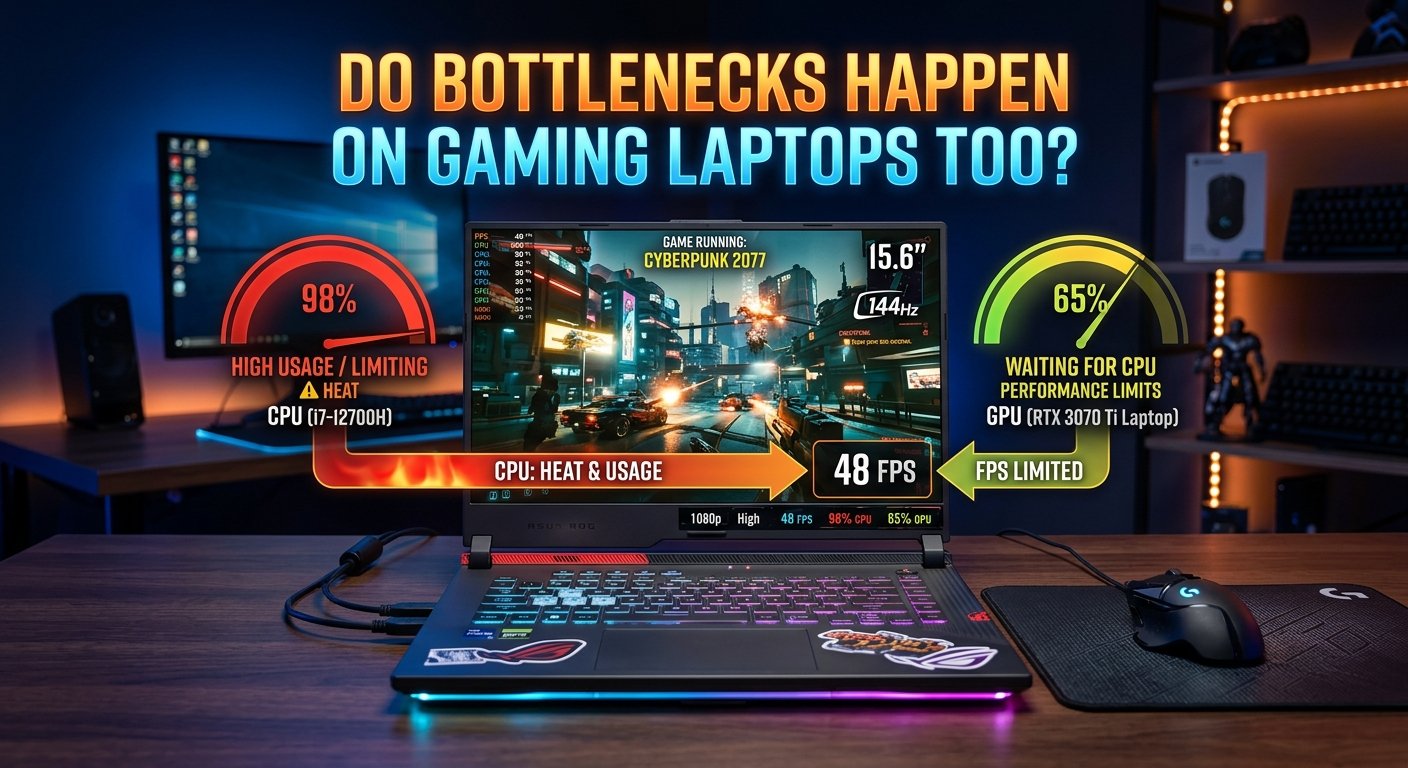
Do Bottlenecks Happen on Gaming Laptops Too?
Yes gaming laptops experience CPU and GPU bottlenecks using the same fundamental principle as desktops: one component limiting the performance of another. However, laptops introduce three variables that don't exist in desktop builds configurable power limits, shared thermal systems, and fixed hardware that can't be upgraded. This makes laptop bottlenecks more nuanced: the same CPU/GPU pairing in a laptop can produce a meaningfully different bottleneck percentage than the same chips in a desktop, because the laptop may be running both components at reduced power limits.
Use the bottleneck calculator with your laptop's CPU and GPU models for a directional estimate but treat the result as approximate, since laptop TDP configurations significantly affect real-world performance relative to desktop equivalents.
Why Laptops Are Different From Desktops for Bottlenecks
1. Configurable Power Limits (TDP)
Laptop CPUs and GPUs are rated with a TDP range, not a fixed number. A laptop manufacturer can configure the same chip to run at:
- Maximum performance mode: Higher TDP, closer to desktop equivalent performance, more heat, louder fans
- Balanced mode: Reduced TDP for quieter operation and better battery life
- Silent/eco mode: Very low TDP, significant performance reduction
The RTX 4070 in a laptop, for example, can be configured anywhere from 35W to 150W depending on the laptop's thermal design and manufacturer settings. An RTX 4070 Laptop at 80W TDP performs significantly below an RTX 4070 Laptop at 140W — and both are marketed as "RTX 4070 Laptop GPU" without distinction in product names.
This means two "identical" laptops with the same chip model can show different bottleneck percentages because one is configured with a higher GPU power limit.
2. Shared Thermal System
In a desktop, the CPU and GPU have separate cooling solutions (separate heatsinks, fans, thermal paste). In a laptop, both share a single thermal system — heatpipes connected to shared or adjacent heat spreaders.
When both CPU and GPU are under simultaneous heavy load (during gaming), they compete for the same cooling capacity. This frequently causes one or both to thermally throttle — reducing clock speeds below their rated maximum to stay within safe temperatures. Thermal throttling in a laptop looks identical to a hardware bottleneck from a performance perspective but has a completely different cause and fix.
3. Fixed Hardware — No Upgrade Path
In a desktop, identifying a CPU bottleneck leads to a CPU upgrade decision. In a laptop, both the CPU and GPU are soldered to the motherboard and cannot be upgraded. This changes the practical response to a laptop bottleneck:
- The solution is always settings, software, or thermal managemen not hardware replacement
- Identifying the bottleneck helps you optimise settings correctly (GPU-bound → lower graphics settings; CPU-bound → lower CPU-dependent settings)
How to Check if Your Gaming Laptop Has a Bottleneck
Method 1: Bottleneck Calculator (Quickest)
Enter your laptop's exact CPU and GPU models into the bottleneck calculator at your gaming resolution. The result gives a directional bottleneck percentage. Treat it as a reliable estimate rather than an exact figure the laptop's power limits and thermal state affect real performance relative to desktop equivalents.
Method 2: Usage Monitoring During Gameplay
Use HWiNFO, MSI Afterburner, or your laptop manufacturer's overlay software to monitor in real time:
- Why Laptops Are Different From Desktops for Bottlenecks
- 1. Configurable Power Limits (TDP)
- 2. Shared Thermal System
- 3. Fixed Hardware — No Upgrade Path
- How to Check if Your Gaming Laptop Has a Bottleneck
- Method 1: Bottleneck Calculator (Quickest)
- Method 2: Usage Monitoring During Gameplay
- CPU Bottleneck on Gaming Laptops: When It Happens
- GPU Bottleneck on Gaming Laptops: The Expected Outcome
- Practical Differences in Bottleneck Percentage vs Desktop
- Fixing a Laptop Bottleneck (Without Hardware Upgrades)
- Using the Bottleneck Calculator for Laptops
- Key Takeaways
- CPU usage and CPU clock speed if clock speed is below rated maximum, thermal throttling is occurring
- GPU usage and GPU clock speed same principle; drops below rated boost indicate throttling
- CPU and GPU temperatures consistently above 90–95°C confirms thermal throttling as a factor
The classic bottleneck pattern (CPU near 100% / GPU below 85%) applies to laptops the same as desktops — but on a laptop, both components may be throttling simultaneously, which can show as lower-than-expected usage on both rather than one at 100%.
CPU Bottleneck on Gaming Laptops: When It Happens
Gaming laptop CPUs have improved dramatically in recent generations. Modern laptop CPUs (Core i9-13900H, Ryzen 9 7945HX) can match or approach desktop CPU performance at their maximum TDP configurations.
CPU bottlenecks on gaming laptops are most common when:
- The laptop is in balanced or silent mode power limits are reduced, the CPU operates well below its peak, but the GPU is still running at higher power. This creates an artificial CPU bottleneck that doesn't exist at maximum performance mode.
- Pairing a thin-and-light laptop's low-TDP CPU with a high-end GPU slim gaming laptops often pair 28–45W CPUs with high-end GPUs to fit a thin chassis, creating a structural CPU bottleneck.
- CPU-intensive game genres strategy games, simulation titles, and open-world games with complex AI push laptop CPUs harder than GPUs, revealing CPU limitations even in well-specced gaming laptops.
GPU Bottleneck on Gaming Laptops: The Expected Outcome
A GPU bottleneck in a gaming laptop GPU near 100%, CPU has headroom — is the desired result, identical to desktops. It means the GPU is fully utilised and the CPU is adequate to feed it.
However, on a laptop, GPU bottleneck combined with low GPU clock speeds (below rated boost) indicates thermal throttling rather than hardware mismatch. In this case, the "GPU bottleneck" is actually a thermal problem that reducing fan noise settings or improving airflow can partially address.
Practical Differences in Bottleneck Percentage vs Desktop
For the same CPU and GPU model combination:
| Factor | Desktop | Laptop |
|---|---|---|
| CPU TDP | Fixed at rated spec | Variable; depends on laptop configuration |
| GPU TDP | Fixed at rated spec | Variable; 35W–150W for same GPU model |
| Thermal throttling | Less common with adequate cooling | More common; shared cooling system |
| Bottleneck calculator accuracy | High | Moderate — result may not reflect power-limited real-world performance |
| Upgrade option | Yes | No — components soldered |
Fixing a Laptop Bottleneck (Without Hardware Upgrades)
Since laptop hardware can't be replaced, the fixes focus on:
For CPU bottleneck:
- Switch to Maximum Performance mode in your laptop's power/performance settings
- Close all background applications before gaming laptop CPUs have less spare capacity than desktop equivalents
- Lower CPU-intensive game settings: draw distance, NPC density, shadow quality
- Ensure your laptop is plugged in battery power typically reduces CPU and GPU power limits significantly
For thermal throttling (which mimics a bottleneck):
- Use a laptop cooling pad — even inexpensive pads can reduce operating temperatures by 5–8°C, which reduces throttling frequency
- Reapply thermal paste on older laptops (2+ years) — factory thermal paste quality varies and degrades over time
- Clean dust from laptop vents with compressed air — essential every 6–12 months for gaming laptops
- Undervolt the CPU if your laptop and BIOS allow it — reduces heat output while maintaining performance
Using the Bottleneck Calculator for Laptops
The bottleneck calculator is most useful for gaming laptops in two scenarios:
- Before buying a laptop compare the CPU and GPU a laptop uses to see whether they're well-matched at your target resolution. A severe bottleneck percentage suggests the laptop's CPU and GPU tiers are mismatched regardless of power limits.
- Diagnosing unexpected performance if your laptop's FPS is lower than comparable desktop results for the same CPU/GPU models, compare the bottleneck result to verify the CPU/GPU relationship and then investigate thermal throttling and power limits as the likely culprits.
For FPS estimates with your laptop's CPU and GPU, the FPS calculator provides a useful directional baseline — note that real laptop FPS will typically be 10–20% below desktop equivalents due to power and thermal constraints.
Key Takeaways
- Gaming laptops experience CPU and GPU bottlenecks using the same fundamental principle as desktops — but power limits, shared thermals, and fixed hardware make them more complex.
- The same GPU model in a laptop can perform 15–30% below its desktop equivalent due to configurable power limits — bottleneck calculator results are directional, not exact.
- Thermal throttling is the most laptop-specific bottleneck cause — both components reducing clock speed due to shared cooling constraints.
- Always game plugged in to maximise CPU and GPU power limits; use Maximum Performance mode for best gaming results.
- The bottleneck calculator is most useful for laptop pre-purchase evaluation and diagnosing unexpected performance gaps.