Reverb Calculator
Calculate audio reverb settings and room acoustics!
What Is a Reverb Calculator
A reverb calculator is a powerful digital or mathematical tool that helps musicians audio engineers architects acoustic consultants and room designers determine the exact amount of reverb or sound reflection that exists within any given space. By entering data such as room dimensions surface materials volume and absorption coefficients a reverb calculator produces precise measurements that guide decisions in studio design live performance tuninghome theater setup and architectural planning.
At its core a reverb calculator tells you how long sound will continue to bounce around a room after the original source has stopped producing it. This duration known as reverb time or RT60 is the foundation of acoustic science and it shapes everything from how a singer hears their own voice to how intelligible speech is in a conference hall. Without understanding and calculating reverb properly spaces can feel muddy uncomfortable or completely unusable for their intended purpose.
"calculate Reverb selling fees before listing your gear"
Modern reverb calculators are available as free online tools dedicated software plugins for digital audio workstations smartphone applications and even embedded features within professional acoustic measurement hardware. They take the guesswork out of room treatment and put precise control in the hands of anyone who cares about sound quality.
The History Behind Reverb and Why Calculation Became Necessary
Long before anyone thought of building a reverb calculator the phenomenon of sound reflection was something humans simply experienced without trying to measure or control it. Ancient Greek amphitheaters were designed with a remarkable intuitive understanding of how stone surfaces and curved geometry could project voice naturally across vast distances. The builders of cathedrals in medieval Europe created spaces where choral music would linger in the air for many seconds wrapping listeners in layers of sound that felt almost spiritual in nature.
It was not until the late nineteenth century that an American physicist named Wallace Clement Sabine began the systematic scientific study of room acoustics. Working at Harvard University around 1895 Sabine conducted meticulous experiments measuring how long sound took to decay in various lecture halls and auditoria. He discovered a direct mathematical relationship between the volume of a room the total surface area of its walls ceiling and floor and the absorptive properties of those surfaces. His resulting formula now known as the Sabine equation became the world's first formal reverb calculation method.
As recording studios began to emerge in the early twentieth century the need to control reverb became commercially critical. Too much reverb made recordings sound blurry and unprofessional. Too little made them feel dry and lifeless. Engineers and architects started applying Sabine's formulas manually spending hours with pencil and paper to figure out how much acoustic treatment a room needed. The development of electronic computers eventually turned those tedious hand calculations into near instant results and the modern reverb calculator was born.
How a Reverb Calculator Works
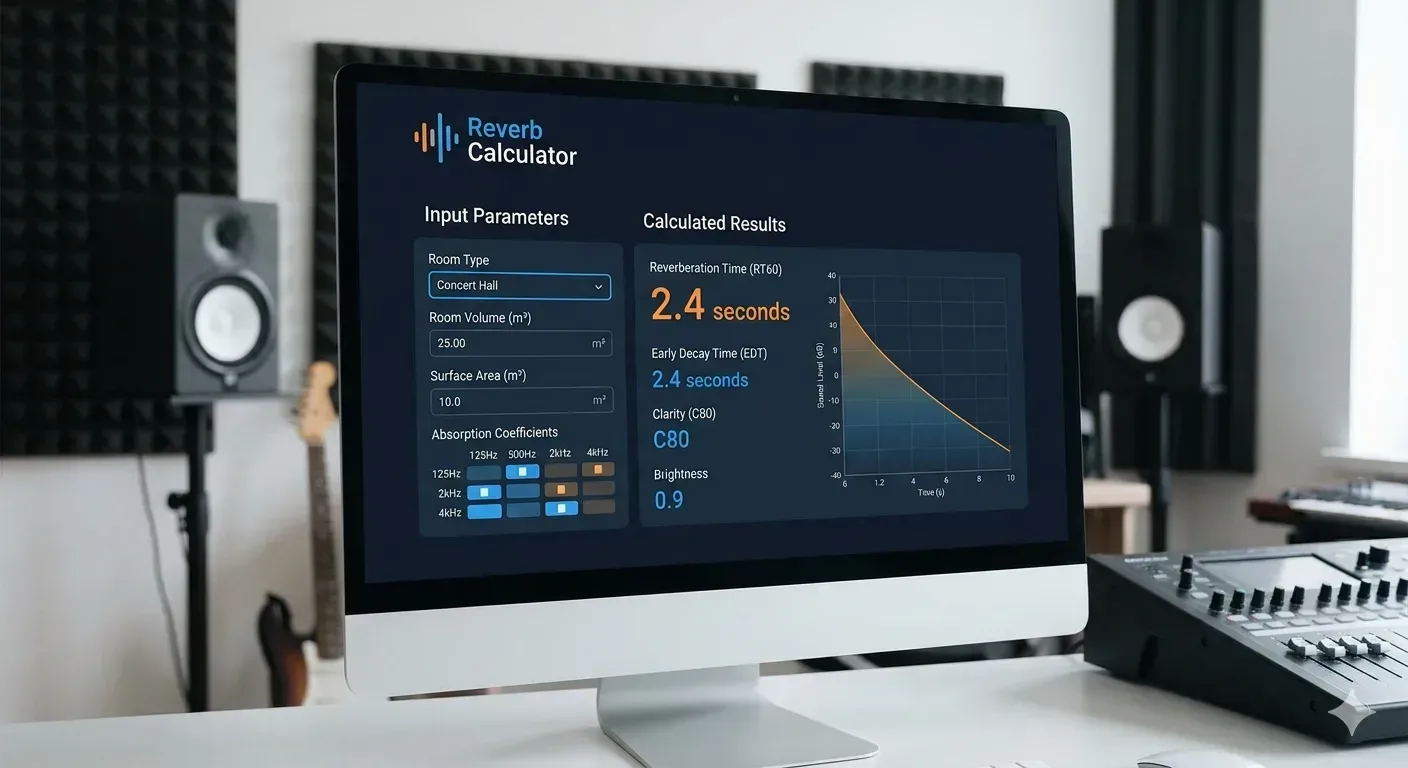
Understanding the mechanics behind a reverb calculator requires a basic grasp of the physical behavior of sound waves in an enclosed space. When a sound is produced inside a room the waves travel outward in all directions. They strike walls ceilings floors furniture people and any other objects present.
find out how much PayPal takes from each transaction
Each surface absorbs some portion of the sound energy and reflects the rest. The total time from when the sound source stops to when the reflected sound drops to one millionth of its original intensity is called RT60.
The Sabine Formula
The most commonly used reverb calculation formula is the one developed by Wallace Sabine. It expresses the relationship between room volume total surface area and average absorption coefficient in a straightforward way. Every material in a room has a known absorption coefficient that ranges from zero for a perfectly reflective surface to one for a surface that absorbs all sound hitting it. A reverb calculator takes the area of each surface multiplies it by the material's absorption coefficient at different frequencies adds all those results together and then divides the room volume by that total.
The Eyring Formula
While Sabine's formula works well for rooms with relatively low levels of absorption rooms that are heavily treated or contain highly absorptive materials produce less accurate results with that method. The Eyring formula was developed as an improvement to address these situations. It uses a logarithmic correction that better reflects the way sound energy actually decays in highly absorbent environments. Many advanced reverb calculators offer users the choice between Sabine and Eyring calculations depending on the characteristics of their room.
The Millington Sette Formula
An even more refined calculation approach is offered by the Millington Sette formula which calculates absorption contributions from each surface individually rather than averaging them across the entire room.
understand room acoustics using our hospitality guide"
This produces more accurate results in rooms where absorption is distributed unevenly across different surfaces which is the case in most real orld rooms.
What Information You Need to Use a Reverb Calculator
Getting accurate results from any reverb calculator depends entirely on the quality and completeness of the information you feed into it. Before using one you should have the following details ready and measured as precisely as possible:
The length width and height of the room in either meters or feet
The total area of every major surface including floor ceiling and each wall
The primary material or finish of each surface such as concrete wood carpet or acoustic foam
The number and type of any movable objects that absorb sound including upholstered furniture and curtains
Whether the room contains an audience or performers since human bodies absorb significant sound energy
The frequency range you care most about since absorption coefficients vary with frequency
Ideal Reverb Times for Different Room Types
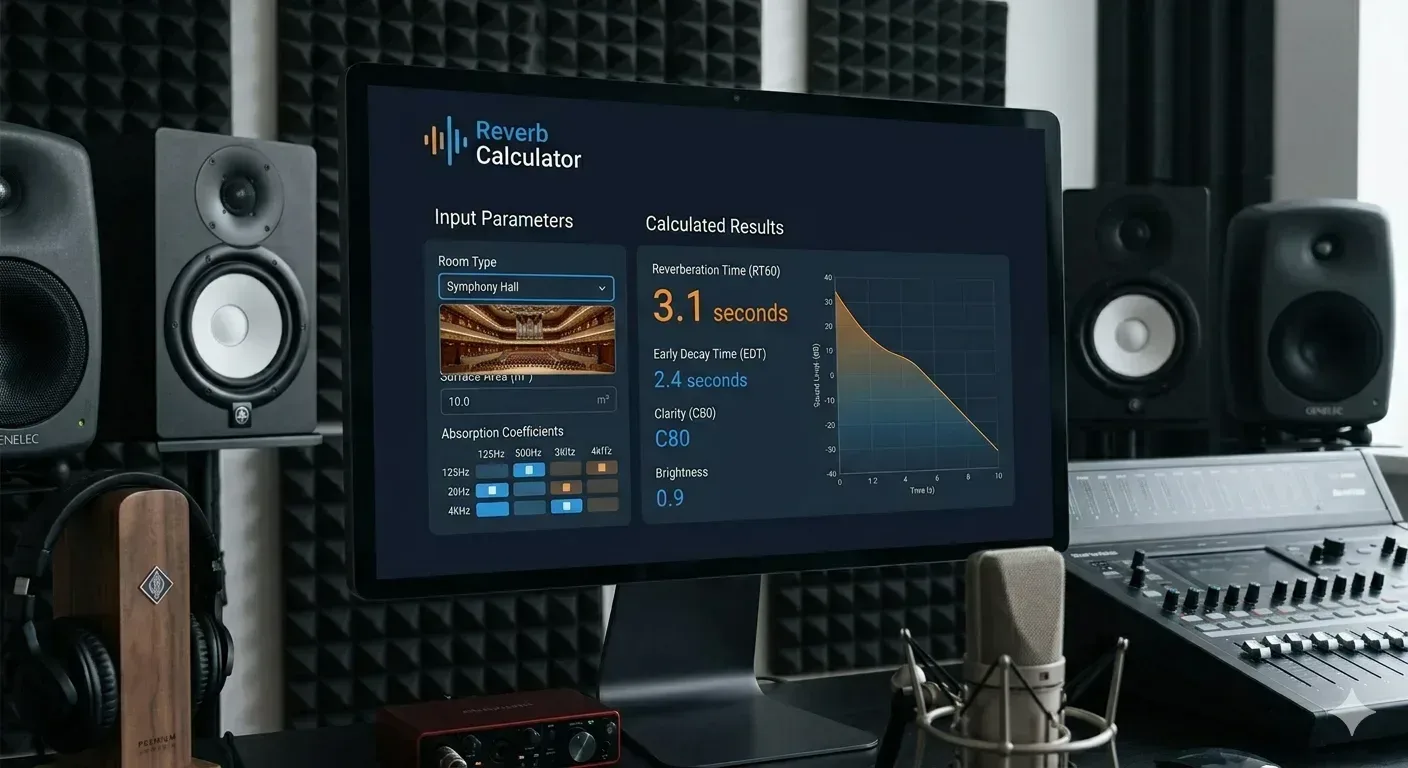
One of the most valuable things a reverb calculator helps you understand is whether your room's reverb time is appropriate for its intended use. Different activities and purposes demand dramatically different acoustic environments:
|
Room Type |
Ideal RT60 |
Primary Goal |
|
Recording Studio Control Room |
0.2 to 0.4 sec |
Accurate audio monitoring |
|
Recording Studio Live Room |
0.3 to 0.6 sec |
Natural instrument recording |
|
Home Theater |
0.3 to 0.5 sec |
Cinematic surround experience |
|
Conference Room |
0.4 to 0.7 sec |
Speech clarity and intelligibility |
|
Concert Hall |
1.8 to 2.2 sec |
Rich tonal blending |
|
Opera House |
1.2 to 1.6 sec |
Vocal projection and clarity |
|
Church or Cathedral |
2.0 to 4.0 sec |
Spiritual resonance |
|
Classroom |
0.4 to 0.6 sec |
Educational clarity |
|
Restaurant |
0.6 to 1.0 sec |
Comfortable ambient energy |
|
Home Studio or Podcast Room |
0.2 to 0.35 sec |
Clean dry vocal recordings |
Using a Reverb Calculator for Music Production
For musicians and audio producers the reverb calculator serves a dual purpose. First it helps them understand and control the acoustic properties of the physical space where they record or mix. Second it helps them make informed decisions about how to apply artificial reverb effects within their digital audio workstation to create the spatial impression they want in their final recordings.
When setting up a recording space even a small bedroom studio a reverb calculator can tell you immediately whether you have too much or too little treatment. If your RT60 is sitting at 0.8 seconds for a space you want to use as a control room you know you need to add significant absorption particularly in the low mid frequency range.calculate percentages for quick audio tuning ratios The calculator can even tell you how many square feet of material at a given absorption coefficient you would need to add in order to bring the reverb time down to your target.
Electronic music producers rely on reverb heavily to create depth space and atmosphere in their tracks. Using a reverb calculator as a conceptual reference even when working entirely in the digital domain helps producers build more believable and cohesive sonic environments. Rather than randomly tweaking reverb plugin knobs a producer who understands how RT60 relates to room size can set their pre delay time decay times and room size parameters in ways that feel physically believable to the human ear.
Using a Reverb Calculator in Architectural Acoustic Design
Architects and acoustic consultants use reverb calculators as primary tools during the design phase of buildings. Before a single brick is laid or a square meter of drywall is installed the acoustic character of a proposed space can be modeled and optimized using reverb calculation methods combined with material databases. This allows designers to identify potential acoustic problems and solve them on paper which is infinitely cheaper and easier than trying to fix them after construction is complete.
A school building project for example might require acoustic consultants to calculate the expected reverb time for every classroom every corrido the gymnasium the cafeteria and the auditorium. Each of these spaces has different acoustic requirements. Using a reverb calculator for each space ensures that the final building will actually function the way its occupants need it to. Modern Building Information Modeling software increasingly integrates reverb calculation functions directly into the architectural design workflow.
Online Reverb Calculators vs Professional Acoustic Software
The internet offers a wide variety of free reverb calculators that can be accessed directly from any web browser without any installation or cost. These tools are excellent for quick estimates and for people who are new to acoustic design. They typically require you to enter room dimensions and select from a list of common surface materials and they return an estimated RT60 value almost instantly.
For more demanding applications professional acoustic simulation software such as ODEON EASE Raytracing and CATT Acoustic offers far greater depth and precision. "use the Hex Color Calculator for your studio setup visuals"These platforms use complex algorithms to simulate how sound propagates through three dimensional computer models of rooms accounting for scattering diffraction temperatur humidity and dozens of other variables that simple online calculators cannot address.
If you are designing a home recording studio treating a bedroom for podcast recording or evaluating a small meeting room then a free online reverb calculator will serve you perfectly well. If you are designing a concert venue a broadcast studio a movie theater or any large public facility you should work with professional acoustic simulation software and ideally with a licensed acoustical engineer who can interpret the results and make informed design recommendations.
Common Mistakes When Using a Reverb Calculator
Even a well designed reverb calculator can produce misleading results if it is used incorrectly. Here are the most common errors that beginners and even intermediate users make:
Using a single absorption coefficient value across all frequencies instead of entering frequency band specific values
Forgetting to account for the absorption provided by furniture curtains books and other soft objects in the room
Measuring room dimensions inaccurately since even small errors compound through the volume calculation
Ignoring the contribution of people to room absorption since a full audience can dramatically shorten reverb time
Assuming every wall and surface is the same material when most rooms have a mix of different materials
Using the calculator result as a final answer rather than as a starting point for real world measurement
How to Improve Room Acoustics Based on Reverb Calculator Results
Once you have run your reverb calculator and identified that your room has either too much or too little reverb time for your intended use the next step is taking action. If your room has too much reverb you need to add absorption. If it has too little you may need to add diffusion or even reflective surfaces.
Adding absorption is the most common challenge. Acoustic foam panels fiberglass insulation boards rockwool panels thick curtains carpeting upholstered furniture and acoustic ceiling tiles all reduce reverb time by absorbing sound energy. The key is choosing materials with appropriate absorption coefficients at the specific frequency ranges where your room is too live. Many rooms are adequately treated at high frequencies but still excessively reverberant at low frequencies which requires the use of bass traps.
Diffusion is a different approach that scatters reflected sound in many directions rather than absorbing it. Diffusers maintain the energy of sound in a room while breaking up harsh flutter echoes and standing waves. They are often used in recording studios where a completely dead room would feel unnatural but controlled diffusion creates a pleasant and even acoustic environment that works well for both recording and mixing.
The Future of Reverb Calculation Technology
The field of acoustic calculation is evolving rapidly alongside broader developments in artificial intelligence machine learning and computational physics. Traditional formula based reverb calculators are increasingly being supplemented by AI powered systems that can analyze room photographs three dimensional scans or architectural drawings and generate acoustic predictions without requiring the user to manually enter every surface material and dimension.
Virtual reality and augmented reality applications are beginning to incorporate real time reverb simulation that allows architects and designers to walk through a virtual model of an unbuilt space and actually hear how it will sound. Game audio engines already use physically based reverb simulation that calculates acoustic properties dynamically as a player moves through virtual environments applying the same underlying principles as professional acoustic calculators but in real time.
Smartphone applications equipped with acoustic measurement capabilities are making it easier than ever for non specialists to measure the actual reverb time of a real room and compare it to calculator predictions. Whether you are a professional acoustic engineer a passionate home recording enthusiast a teacher trying to improve speech clarity in your classroom or simply someone who wants to understand why their living room sounds the way it does a reverb calculator is an invaluable resource that puts the science of sound firmly within your reach.
A reverb calculator measures the time it takes for sound to decay by sixty decibels after the source stops producing it. This measurement known as RT60 is the single most important indicator of a room's acoustic character. It determines how clear speech will be, how blended or distinct musical notes will sound, how comfortable or overwhelming a space feels sonically, and whether a room is suitable for its intended use.
Absolutely and in fact this is one of the most common and practical uses of a reverb calculator. A bedroom studio typically suffers from excessive reverb caused by parallel reflective walls and a lack of absorptive surfaces. By entering your room's dimensions and the materials of your walls floor and ceiling into a reverb calculator you can quickly determine your current estimated RT60 and compare it to the ideal target range of about 0.2 to 0.4 seconds for a control room.
A reverb calculator provides valuable estimates and design guidance but it cannot fully replace physical measurement with professional equipment. Calculators rely on idealized assumptions about material absorption coefficients and room geometry that may not perfectly match real-world conditions. For professional projects it is strongly recommended to use calculator results as a starting point for design then verify the actual acoustic performance of a completed space using proper impulse response measurement tools.
Reverb and echo are related but distinct acoustic phenomena. Echo occurs when a single discrete reflection of a sound arrives at your ears with enough delay to be perceived as a separate repetition of the original sound. Reverb on the other hand is the collection of thousands of closely spaced reflections that blend together into a smooth continuous decay of sound. A reverb calculator is specifically designed to measure and predict this smooth decay behavior rather than isolated echoes.
Sound at different frequencies behaves differently when it interacts with surfaces. High-frequency sounds are absorbed relatively easily by most materials including thin foam and carpet. Low-frequency sounds have much longer wavelengths and pass through thin materials more easily, requiring much thicker and denser absorbers to capture their energy. This is why most rooms have noticeably longer reverb times at bass frequencies compared to treble frequencies.
Absorption coefficients for common building and acoustic materials are published in standardized databases and reference books used by acoustic engineers. Many online reverb calculators include built-in material libraries that allow you to simply select a surface type from a dropdown menu and the appropriate coefficients are applied automatically. For less common materials or specialized acoustic products the manufacturer typically provides measured absorption data in their technical specifications.
A reverb calculator that shows frequency-specific results will clearly reveal whether your room has excessive low-frequency reverb, which is the most common problem in small and medium-sized rooms. If your calculated RT60 at 63 Hz or 125 Hz is significantly longer than at 500 Hz or 1 kHz you need bass traps. Room corners are the locations where low-frequency sound pressure is highest, making them the most effective spots for bass trap placement.
Using a reverb calculator to understand real room acoustics significantly improves your ability to use digital reverb plugins effectively. When you understand that a medium-sized wooden room might have an RT60 of 0.8 seconds and a large concert hall might have 2.2 seconds you can set your plugin's decay time parameter with physical grounding rather than guesswork. This physical grounding consistently leads to more realistic and professional-sounding digital reverb applications.
Free online reverb calculators are reliable and useful for a wide range of projects, particularly home studios, podcast rooms, small meeting spaces, home theaters and similar applications. They apply the same fundamental mathematical formulas that professionals use and their results are accurate within the assumptions built into those formulas. For large-scale professional projects the limitations of simplified calculators become more significant and professional acoustic simulation software is the appropriate choice.
You should run a new reverb calculation every time you make a meaningful change to your room's acoustic properties. Adding or removing acoustic panels, changing the type of floor covering, adding or removing large furniture, hanging curtains or removing them, and even changes in the number of people regularly occupying the space can all meaningfully shift the actual RT60. Treating room acoustics as a dynamic system that responds to changes rather than a fixed set-and-forget situation leads to consistently better acoustic outcomes over time.