Bottleneck Calculator vs Manual Benchmarking: Which Is More Accurate?
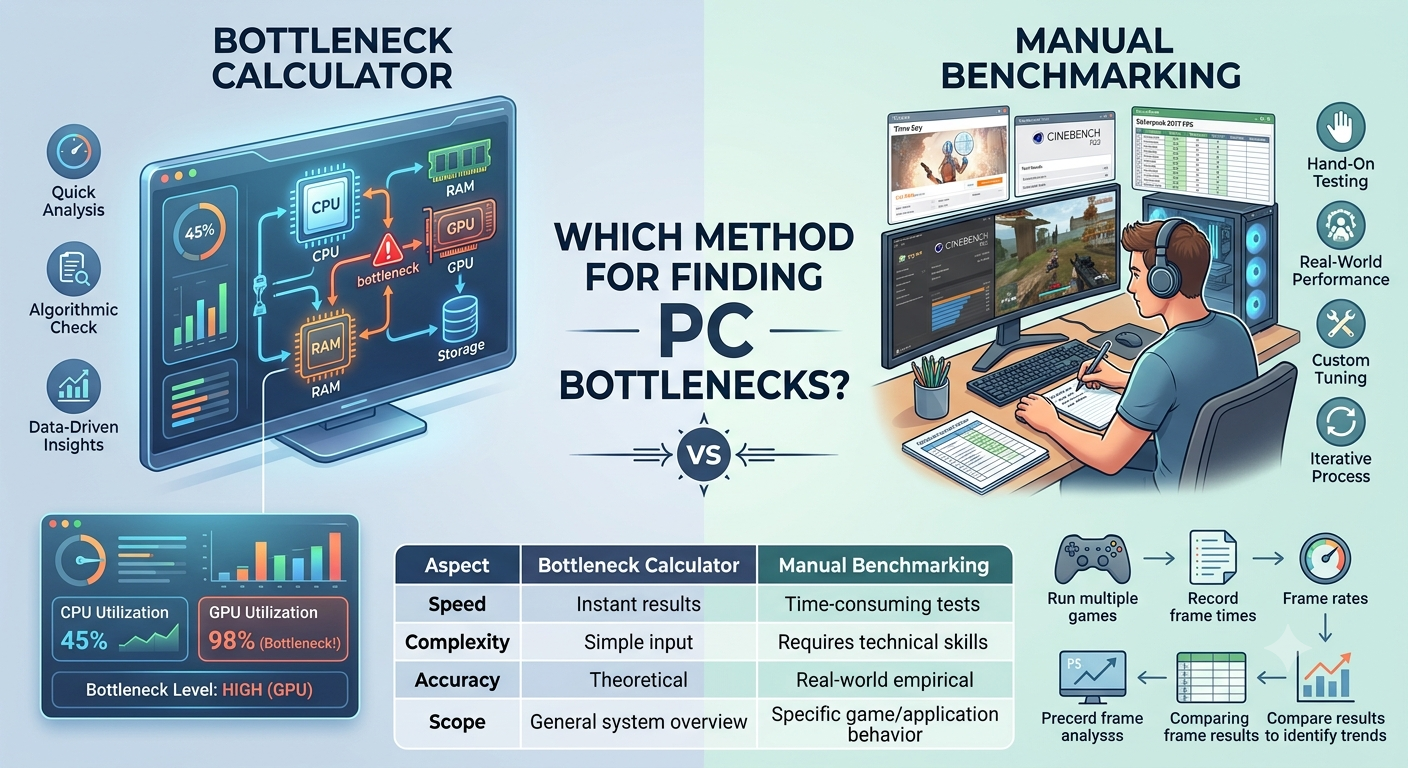
A bottleneck calculator gives you a fast, benchmark-database-driven estimate in under a minute, while manual benchmarking gives you an exact, game-specific number for your precise setup but takes hours and requires you to already own the hardware. Neither is universally "more accurate"; a calculator is more accurate for quick pre-purchase decisions, while manual benchmarking is more accurate for fine-tuning a system you already own.
What a Bottleneck Calculator Actually Measures
A bottleneck calculator works by comparing normalized performance scores for your selected CPU and GPU, drawn from aggregated benchmark data across many games and synthetic tests, then adjusting for your chosen resolution, RAM, and storage. The output is a percentage and a likely limiting component a directional estimate of how your specific pairing is likely to behave.
This makes it ideal for situations where you don't yet own one of the components, such as deciding whether a new GPU will be held back by your current CPU before you buy it.
What Manual Benchmarking Actually Measures
Manual benchmarking means running real games or benchmark software (like 3DMark or in-game benchmark tools) on your actual, physical system, then recording frame rates, frame times, and component usage percentages directly. This gives you a precise number for that specific game, on that specific system, with your specific settings but it only describes the scenario you actually tested.
Accuracy Comparison: Strengths and Weaknesses
| Bottleneck Calculator | Manual Benchmarking | |
|---|---|---|
| Speed | Instant | Minutes to hours per test |
| Requires owning hardware | No | Yes |
| Accuracy for your exact game/settings | General estimate | Exact, for that specific test |
| Useful before buying | Yes — primary use case | No — can't test hardware you don't own |
| Useful for fine-tuning an owned system | Limited | Yes — shows real per-game behavior |
| Affected by drivers/thermals/background apps | No (purely benchmark-based) | Yes — reflects your real conditions |
When a Bottleneck Calculator Is the Better Choice
- Before buying a new CPU or GPU you can't manually benchmark hardware you don't yet own
- Comparing multiple potential upgrades quickly testing five CPU options manually would take hours; a calculator does it in seconds
- Getting a general sense of balance in a hypothetical build before committing to a purchase
- Cross-checking whether a real-world performance issue might be hardware-related at all
When Manual Benchmarking Is the Better Choice
- Fine-tuning a system you already own, where exact frame-time data matters
- Diagnosing a specific game's performance, since some titles are far more CPU- or GPU-dependent than others, and a calculator's general estimate won't capture every title's quirks
- Verifying real-world results after making settings, driver, or BIOS changes
- Identifying issues unrelated to hardware balance, such as thermal throttling, driver bugs, or background software — things a calculator's benchmark-based estimate can't detect, since it doesn't run on your physical machine
Can You Combine Both Approaches?
Yes, and this is generally the most effective approach. Use a bottleneck calculator first, before buying anything, to confirm a prospective CPU or GPU pairing is reasonably balanced for your resolution and use case. Once you own the hardware, use manual benchmarking (or simply a performance overlay during gameplay) to verify real-world results and catch anything a benchmark-based estimate couldn't predict — like thermal throttling or a specific game's unusual CPU dependency.
You can also re-run your owned components through the Compare Systems tool against a potential upgrade to see how a change would likely shift your real-world benchmarking results before spending money to find out.
Key Takeaways
- A bottleneck calculator gives fast, benchmark-based estimates ideal for pre-purchase decisions; manual benchmarking gives exact, game-specific numbers for hardware you already own.
- Neither method is universally more accurate they answer different questions.
- Use a bottleneck calculator before buying, and manual benchmarking or in-game overlays after, to verify real-world results.
- Manual benchmarking can catch issues a calculator can't, like thermal throttling or driver-specific quirks.
- Combining both approaches gives you the most complete and reliable picture.


