What Causes a Bottleneck in Gaming PCs? Top 7 Reasons
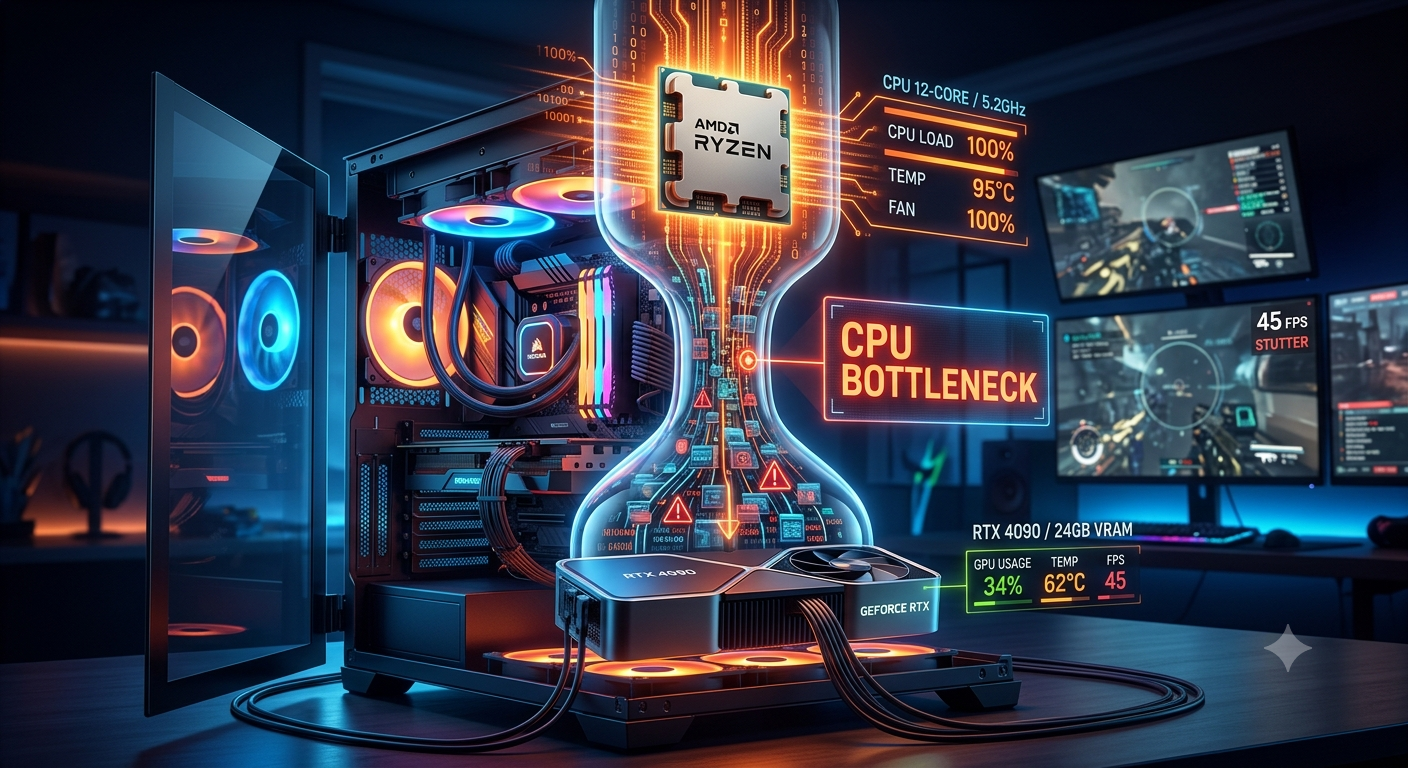
A bottleneck in a gaming PC is caused when one component cannot keep pace with another, forcing the faster part to wait and creating a performance gap. The most common causes are mismatched CPU and GPU performance tiers, gaming at low resolutions with a powerful GPU, insufficient RAM, outdated drivers, thermal throttling, background processes, and slow storage. Understanding which cause applies to your system is the first step to fixing it.
Cause 1: Mismatched CPU and GPU Performance Tiers
This is the single most common cause of a meaningful bottleneck, and it happens in two directions:
- Pairing a budget or older CPU with a high-end GPU the processor can't feed the graphics card instructions fast enough, leaving the GPU underutilized (CPU bottleneck)
- Pairing a powerful CPU with an older or budget GPU the GPU can't render frames fast enough to keep pace with the CPU's processing speed (GPU bottleneck)
The fix: check your intended pairing in a bottleneck calculator before buying. Component tiers should be reasonably matched for the resolution and use case you have in mind.
Cause 2: Gaming at Low Resolutions With a High-End GPU
At 1080p, a capable modern GPU renders frames very quickly often faster than the CPU can prepare the next batch of instructions. This forces the GPU to sit idle waiting for the processor, creating a CPU bottleneck even in an otherwise well-specified system.
This is why a high-end GPU paired with a mid-range CPU can show a significant CPU bottleneck at 1080p but virtually no bottleneck at 1440p or 4K — the resolution raises the GPU's workload until it better matches the CPU's processing rate.
- Cause 1: Mismatched CPU and GPU Performance Tiers
- Cause 2: Gaming at Low Resolutions With a High-End GPU
- Cause 3: Insufficient RAM Capacity
- Cause 4: Slow RAM Speed or Single-Channel Configuration
- Cause 5: Outdated Drivers and Firmware
- Cause 6: Thermal Throttling
- Cause 7: Background Processes Competing for CPU Resources
- Summary: Which Cause Is Most Likely for You?
- Key Takeaways
If you're CPU-bottlenecked at 1080p, gaming at 1440p is often a free, immediate improvement that reduces the bottleneck without changing any hardware.
Cause 3: Insufficient RAM Capacity
Modern AAA games frequently require 12–16GB of active memory during gameplay. When available RAM is exhausted, your system begins swapping data to slower storage, which creates stutter, frame drops, and a performance floor that no CPU or GPU upgrade can fully overcome.
Running 8GB in 2026 is now considered a common, avoidable bottleneck cause not a sign of a low-end build, just an outdated one. As covered in our RAM bottleneck guide, upgrading from 8GB to 16GB is often the highest-impact, lowest-cost single upgrade available for systems that stutter under modern titles.
Cause 4: Slow RAM Speed or Single-Channel Configuration
Even with sufficient capacity, RAM that runs below its rated speed because XMP or EXPO hasn't been enabled in the BIOS can create a subtle but measurable bottleneck, particularly for CPUs that are more sensitive to memory bandwidth.
Similarly, using a single stick of RAM instead of two matched sticks (dual-channel mode) halves the available memory bandwidth, which can limit both CPU and GPU performance in memory-sensitive scenarios.
Cause 5: Outdated Drivers and Firmware
GPU drivers, motherboard chipset firmware, and BIOS updates include performance optimizations, scheduler improvements, and bug fixes that can meaningfully affect how efficiently your CPU and GPU communicate. Running significantly outdated drivers can introduce a hidden bottleneck that disappears after a simple update no hardware change required.
This is one of the most frequently overlooked causes, since performance degradation from outdated drivers accumulates gradually and isn't always easy to notice until you compare before-and-after results.
Cause 6: Thermal Throttling
When a CPU or GPU runs too hot due to dust buildup, poor case airflow, insufficient cooling, or dried-out thermal paste — it automatically reduces its operating clock speed to stay within safe temperature limits. This thermal throttling directly reduces the component's performance and can either create or worsen an existing bottleneck.
A common scenario: a CPU that should run at 4.8GHz is throttled down to 3.5GHz because of clogged cooling fins or poor case airflow, effectively giving you a lower-spec processor than you actually own. Cleaning dust, reapplying thermal paste, and improving case airflow are free fixes that can recover this performance.
Cause 7: Background Processes Competing for CPU Resources
Browser tabs, cloud sync services, antivirus scans, Windows Update, and launcher background processes all consume CPU cycles during gaming. On CPUs with fewer cores or threads, this competition can be significant effectively leaving fewer CPU resources available for the game, which worsens a CPU bottleneck or creates one where none would otherwise exist.
Closing unnecessary background apps before a gaming session is a zero-cost fix that can meaningfully reduce a mild CPU bottleneck caused purely by resource contention rather than a hardware mismatch.
Summary: Which Cause Is Most Likely for You?
| Cause | Most Common Sign | First Fix |
|---|---|---|
| Mismatched CPU/GPU tiers | GPU usage low, CPU near 100% | Check pairing in bottleneck calculator |
| Low resolution with high-end GPU | CPU bottleneck at 1080p only | Raise resolution to 1440p and recheck |
| Insufficient RAM | Stutter that worsens over a session | Upgrade to 16GB minimum |
| Slow/single-channel RAM | Mild bottleneck without clear cause | Enable XMP/EXPO; switch to dual-channel |
| Outdated drivers | Gradual performance decline over time | Update GPU driver and chipset firmware |
| Thermal throttling | CPU/GPU clock speeds dropping under load | Clean dust; check temperatures |
| Background processes | CPU usage high even in non-demanding scenes | Close background apps before gaming |
Key Takeaways
- The most common bottleneck cause is mismatched CPU and GPU performance tiers check any pairing before buying.
- Gaming at 1080p with a powerful GPU is a frequent, easily overlooked cause of CPU bottlenecks.
- 8GB RAM is now a common bottleneck cause in modern games; 16GB is the current minimum.
- Thermal throttling and outdated drivers can create or worsen bottlenecks without any hardware mismatch at all.
- Background processes competing for CPU cycles are a frequently underestimated cause closing them costs nothing.
- Use the bottleneck calculator to confirm the CPU/GPU relationship, then systematically address the other causes.


