Does Resolution Affect Bottleneck? 1080p vs 1440p vs 4K Explained
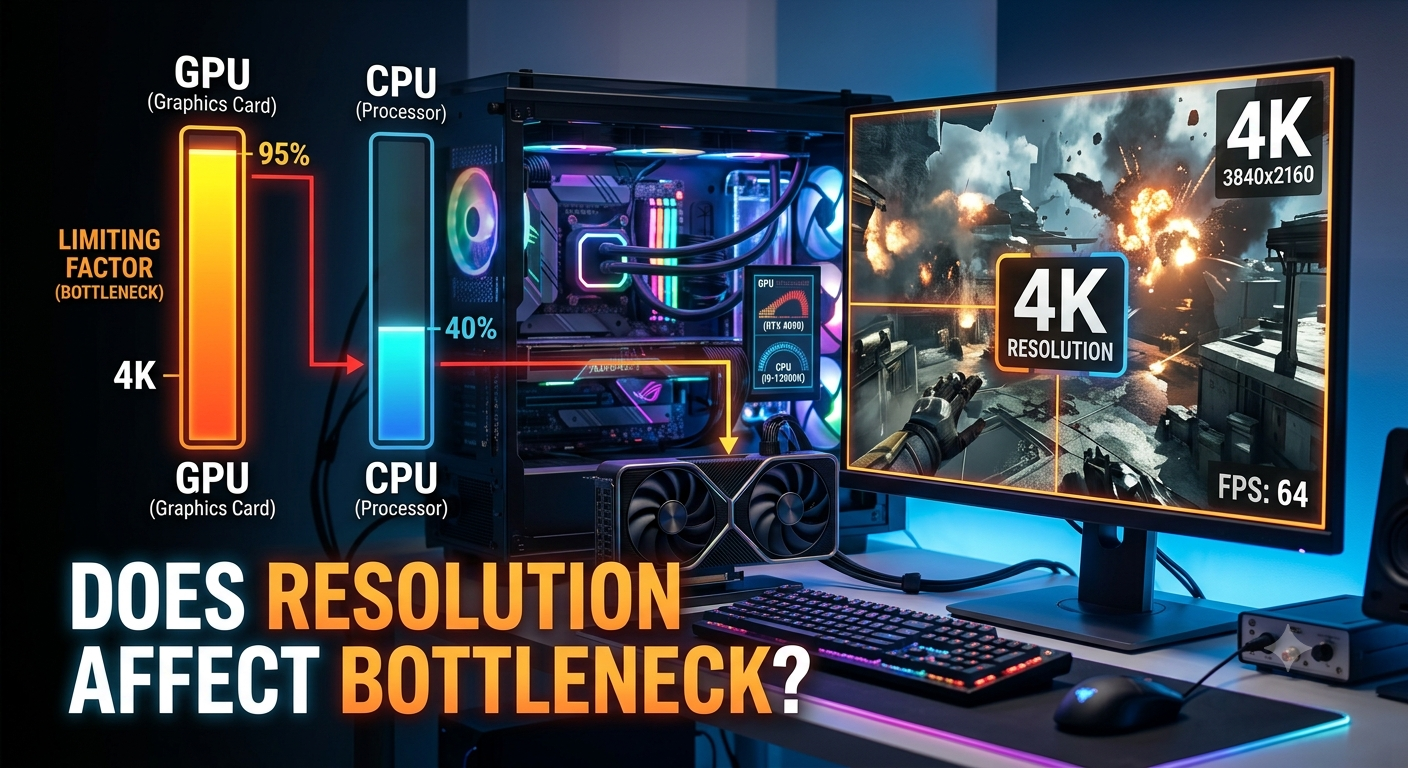
Yes, resolution significantly affects where a bottleneck appears. At 1080p, the GPU finishes rendering frames quickly, which puts more pressure on the CPU and makes a CPU bottleneck more likely. At 1440p, the load becomes more balanced. At 4K, the GPU carries most of the workload, which usually shrinks or eliminates a CPU bottleneck while making the GPU itself the limiting factor.
Why Resolution Changes the Bottleneck Equation
Rendering a frame involves two stages working together: the CPU prepares game logic, physics, and draw calls, while the GPU renders the actual pixels. Resolution only affects the second stage directly rendering more pixels takes the GPU longer, but it doesn't meaningfully increase the CPU's workload.
This means that as resolution increases, the GPU's portion of the total frame time grows, while the CPU's portion stays roughly the same. The result: higher resolutions shift the bottleneck toward the GPU, and lower resolutions shift it toward the CPU.
1080p: Where CPU Bottlenecks Are Most Common
At 1080p, a capable modern GPU can render frames very quickly, often faster than the CPU can prepare the next batch of instructions. This is why high-end GPUs paired with mid-range or older CPUs frequently show a noticeable CPU bottleneck specifically at 1080p, even though the same pairing might look fine at a higher resolution.
This matters most for competitive gamers, since 1080p is still the most common resolution for high-refresh-rate competitive play (CS2, Valorant, Apex Legends), where CPU performance directly caps your achievable frame rate.
1440p: The Balanced Middle Ground
1440p sits between the two extremes. The GPU works harder than it does at 1080p, narrowing the gap with the CPU. For most current mid-to-high-end CPU and GPU pairings, 1440p produces the most balanced bottleneck result neither component is dramatically ahead of the other.
4K: Where GPU Bottlenecks Take Over
At 4K, the GPU is rendering roughly four times the pixel count of 1080p, which significantly increases its workload while the CPU's job stays largely unchanged. This is why:
· CPU bottlenecks that were clearly visible at 1080p often shrink dramatically or disappear at 4K
· The GPU becomes the dominant limiting factor, which is generally the desirable outcome (see our GPU bottleneck guide for why this is usually a good sign)
· A mid-range CPU can often pair surprisingly well with a high-end GPU at 4K, even if the same pairing would show a meaningful bottleneck at 1080p
Same Hardware, Different Resolution: A Practical Example
Consider a high-end GPU paired with a mid-range CPU:
|
Resolution |
Likely Bottleneck Pattern |
Why |
|
1080p |
Noticeable CPU bottleneck |
GPU renders frames faster than the CPU can supply instructions |
|
1440p |
Mild, more balanced bottleneck |
GPU workload increases, narrowing the gap |
|
4K |
GPU becomes the limiting factor |
GPU workload dominates; CPU has spare headroom |
This is exactly why resolution is one of the required inputs on a bottleneck calculator the same CPU and GPU combination can return a meaningfully different result depending on which resolution you select.
What This Means for Your Buying Decisions
· Buying for 1080p competitive gaming? Prioritize CPU performance, since it's more likely to be your limiting factor.
· Buying for 1440p? Aim for a balanced CPU/GPU pairing neither extreme overspending nor underspending on either part.
· Buying for 4K? Prioritize GPU performance, since it will carry most of the workload and a mid-range CPU is often sufficient to support it.
Key Takeaways
· Resolution directly changes where a bottleneck appears: lower resolutions favor CPU bottlenecks, higher resolutions favor GPU bottlenecks.
· 1080p is where CPU bottlenecks are most common and most impactful, especially for competitive gaming.
· 4K shifts most of the workload to the GPU, often shrinking or eliminating a CPU bottleneck seen at lower resolutions.
· Always select your actual gaming resolution in a bottleneck calculator the same hardware pairing can show very different results across 1080p, 1440p, and 4K.
· Match your upgrade priorities to your resolution: CPU-focused for 1080p, balanced for 1440p, GPU-focused for 4K.


