Common PSU Sizing Mistakes That Can Damage Your PC
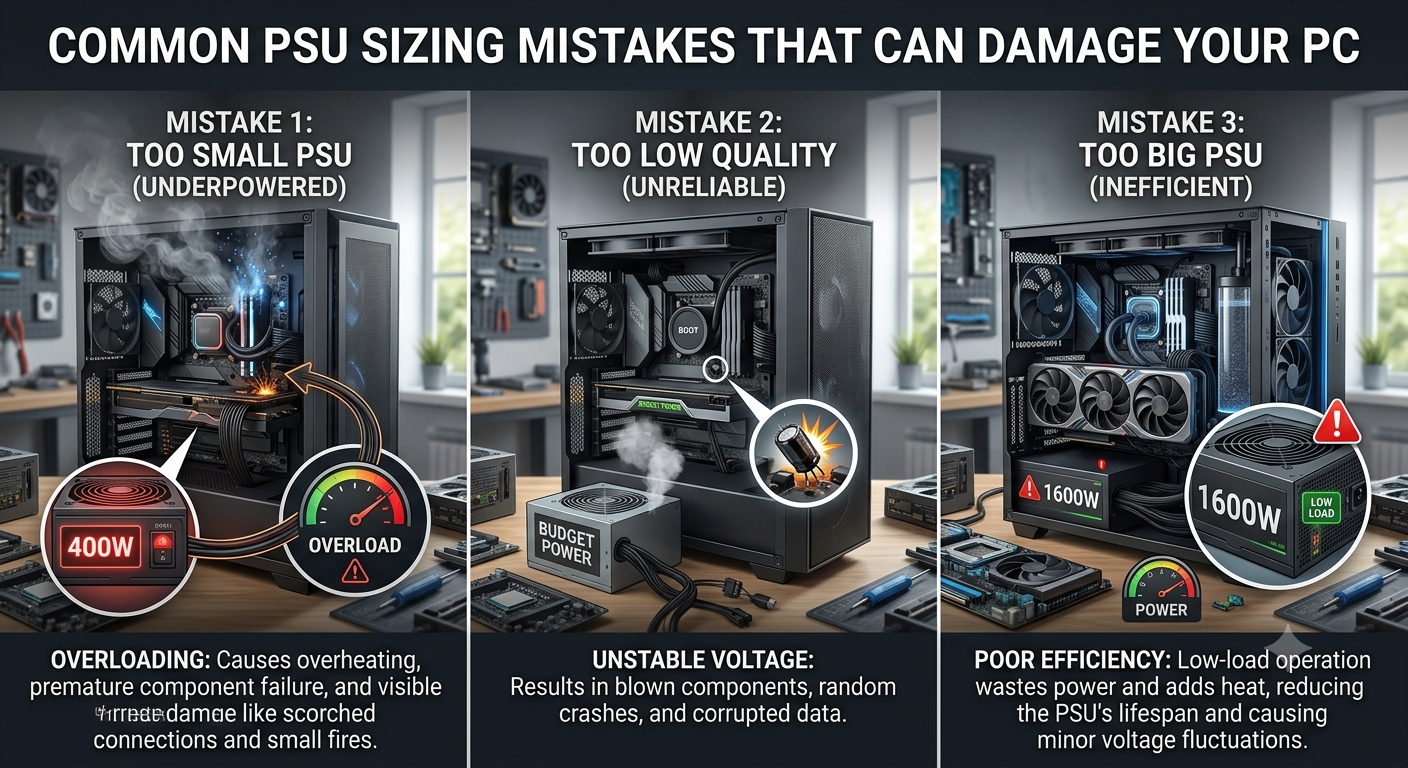
The most dangerous PSU sizing mistake is buying a unit too small for your components an undersized PSU can cause system instability, random shutdowns under load, and in worst-case scenarios damage other components through voltage instability during peak demand. Other serious mistakes include using a CPU's base TDP instead of its maximum power figure for sizing, and choosing a brand that can't actually deliver its rated wattage reliably. Use the PSU calculator to avoid the entire category of sizing mistakes before buying.
Mistake 1: Using CPU Base TDP Instead of Maximum Power Draw
The mistake: Intel's K-series processors list a base TDP (e.g., 125W for the i9-14900K) that dramatically understates real peak power draw. Under sustained boost, the i9-14900K can consume up to 253W its PL2 figure for extended periods during gaming or heavy workloads.
The consequence: A PSU sized around the 125W base TDP figure (instead of the correct 253W PL2) may be undersized by up to 128W for that CPU alone, which can cause crashes and instability under sustained boost load.
The fix: Always use the CPU's PL2 (maximum power limit) or "Maximum Turbo Power" figure for PSU sizing, not the base TDP. AMD CPUs typically list a single TDP that's more representative of actual sustained draw. When in doubt, enter your CPU in the PSU calculator, which automatically uses the correct power figure.
Mistake 2: Not Adding a Headroom Buffer
The mistake: Calculating peak system draw and buying a PSU rated exactly at that wattage for example, estimating 650W of draw and purchasing a 650W PSU.
The consequence: A PSU running at or near 100% of rated capacity runs hot, operates at reduced efficiency, experiences accelerated component degradation, and can't handle transient power spikes that momentarily exceed the average draw. Most PSUs are also not specified to reliably deliver 100% of rated wattage continuously.
- Mistake 1: Using CPU Base TDP Instead of Maximum Power Draw
- Mistake 2: Not Adding a Headroom Buffer
- Mistake 3: Forgetting GPU Transient Power Spikes
- Mistake 4: Trusting Off-Brand PSU Wattage Ratings
- Mistake 5: Not Accounting for Planned Upgrades
- Mistake 6: Using the Previous GPU's PSU Recommendation for a New GPU
- Mistake 7: Buying Too Large a PSU "Just to Be Safe"
- Mistake 8: Ignoring PSU Cable Compatibility With New GPUs
- The One Mistake That Covers Most of These: Not Using a Calculator
- Key Takeaways
The fix: Always add a 20–25% headroom buffer on top of your peak draw estimate. A system drawing 650W at peak should be paired with an 850W PSU (650W × 1.25 = 812W, rounded up to the next common tier). The PSU calculator applies this buffer automatically.
Mistake 3: Forgetting GPU Transient Power Spikes
The mistake: Sizing based on average GPU power draw rather than accounting for brief transient spikes above rated TDP.
The consequence: Modern GPUs particularly the RTX 4090, RX 7900 XTX, and high-end RTX 4080 variants — can momentarily spike 20–30% above their rated TDP during scene transitions, shader compilation, and certain game loading events. A PSU without sufficient headroom for these spikes can trigger voltage drops that cause system crashes or GPU driver failures.
The fix: The headroom buffer (Mistake 2's fix) covers transient spikes when applied correctly. For extreme GPUs (RTX 4090, RX 7900 XTX), err toward the higher end of the recommended range.
Mistake 4: Trusting Off-Brand PSU Wattage Ratings
The mistake: Buying a cheap, no-name PSU because it claims a high wattage rating at a very low price.
The consequence: Unscrupulous manufacturers inflate wattage ratings. A "750W" unit from an unknown brand may only reliably deliver 550W and may do so with poor voltage regulation that creates ripple and noise damaging to other components over time. Unlike most other PC components, a failing PSU can take other components down with it.
The fix: Buy from established PSU manufacturers with strong warranty offerings (7–10 years is the benchmark for quality units). No-name "750W" units priced at a fraction of reputable brands should be avoided regardless of their paper specifications.
Mistake 5: Not Accounting for Planned Upgrades
The mistake: Sizing the PSU for your current components without considering that you plan to upgrade the GPU or add more storage in the near future.
The consequence: After a GPU upgrade, the PSU that was correctly sized for the old GPU becomes undersized for the new one leading to instability and a second PSU purchase that could have been avoided.
The fix: If you plan to upgrade within 12–24 months, size the PSU for your planned future configuration, not just today's components. Use the PSU calculator to check both your current and planned future component combination before buying.
Mistake 6: Using the Previous GPU's PSU Recommendation for a New GPU
The mistake: Keeping the same PSU when upgrading from a lower-TDP GPU to a significantly higher-TDP one for example, upgrading from an RTX 3060 Ti (200W) to an RTX 4090 (450W) while keeping an 850W PSU that was sized for the older card with a high-TDP CPU.
The consequence: An 850W PSU that was fine with an RTX 3060 Ti + i9-14900K (roughly 470W total) may be dangerously undersized for an RTX 4090 + i9-14900K (roughly 760W+ total).
The fix: Re-run the PSU sizing calculation every time you change a major component. The PSU calculator takes under a minute there's no reason to assume an old PSU is still correctly sized for a new GPU.
Mistake 7: Buying Too Large a PSU "Just to Be Safe"
The mistake: Buying a 1500W PSU for a mid-range build drawing 350W at peak, believing that "more is always safer."
The consequence: A massively oversized PSU runs at very low efficiency (a 1500W unit at 350W load operates at ~23% capacity well below the efficiency curve's sweet spot at 50% load). This wastes electricity and, ironically, can produce more ripple and noise than a correctly sized unit at its optimal operating point.
The fix: Size for 60–80% operating load. A 350W peak draw system is best served by a 500–600W PSU. There's no benefit beyond that point a correctly sized PSU is more efficient and produces less waste heat than an oversized one.
Mistake 8: Ignoring PSU Cable Compatibility With New GPUs
The mistake: Buying a new high-end GPU that uses the 16-pin 12VHPWR or 12V-2×6 connector, then using an old adapter from a PSU that predates the standard.
The consequence: The high-profile RTX 4090 connector fire incidents were traced primarily to incompletely seated adapters and non-certified third-party cables not the 12VHPWR standard itself. Using a non-certified or poorly made adapter with a high-draw GPU creates a fire risk independent of wattage.
The fix: When buying a new GPU that uses the 16-pin connector, either choose a PSU with a native 16-pin cable or use only the manufacturer-supplied adapter that came with the GPU. Confirm the cable is fully and firmly seated the connector should click into place with no play.
The One Mistake That Covers Most of These: Not Using a Calculator
All eight mistakes above stem from manual estimation rather than systematic calculation. The PSU calculator automatically applies correct TDP figures, adds the headroom buffer, and returns a specific wattage recommendation removing the guesswork that leads to undersizing or oversizing.
Key Takeaways
- The single most dangerous PSU mistake is undersizing it causes instability, crashes, accelerated wear, and in extreme cases component damage.
- Always use a CPU's maximum power figure (PL2 for Intel, rated TDP for AMD) rather than base TDP for PSU sizing.
- Apply a 20–25% headroom buffer on top of your peak draw estimate never buy a PSU rated exactly at your calculated peak.
- Re-run PSU sizing every time you change a major component, especially when upgrading the GPU.
- Use the PSU calculator it eliminates all manual estimation mistakes with a single, quick calculation.
- Buy from reputable manufacturers with 7–10 year warranties a cheap off-brand unit that can't deliver rated wattage is more dangerous than an undersized quality unit.